Monthly Archive: May 2019

Nissan brings ProPILOT driver assist to Japanese market Skyline sedan

Nissan ProPILOT

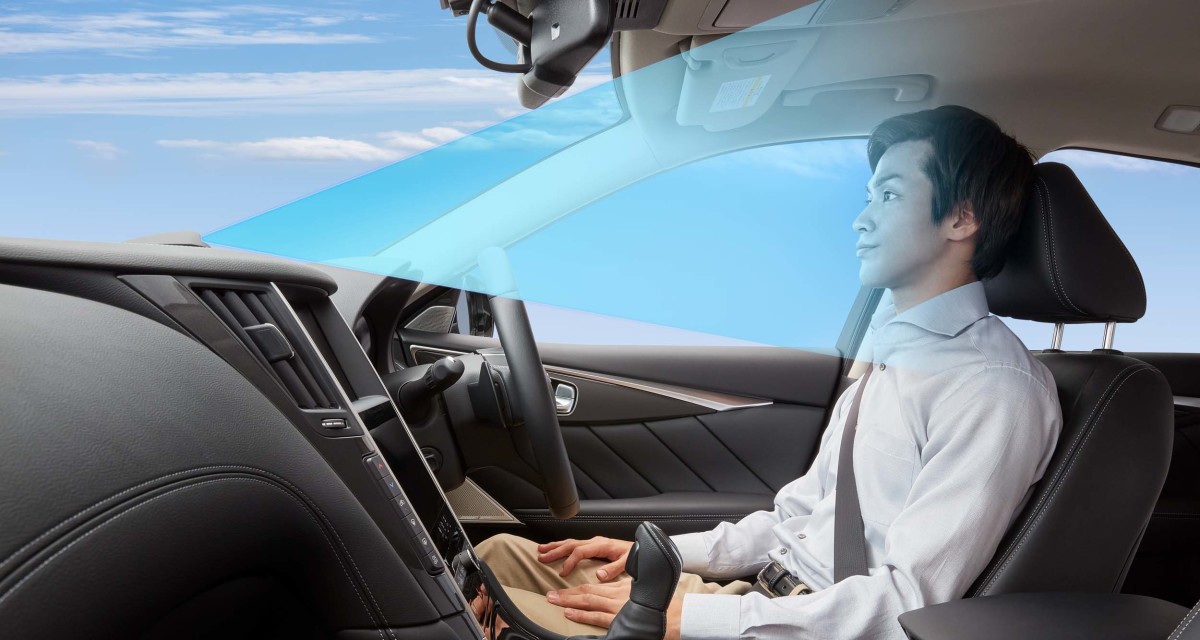
Nissan is introducing some new, advanced driver assist systems for the Japanese market Skyline sedan this fall. Similarly to Tesla's Navigate on Autopilot, the updated ProPILOT system now combines navigation and automatic lane-changing. In addition, hands-off driving is enabled when certain guidelines are met and the driver is paying attention to the road ahead. Earlier ProPILOT iterations have required the driver to keep a hand on the wheel at all times.

This advanced cruise control/lane keeping assist now allows hands-off driving in a single highway lane, while constantly monitoring the driver's attentiveness, as the system will need the driver to take over in a sudden situation. With a pre-defined route activated on the navigation system and relying on a suite of cameras and radars, the ProPILOT equipped Skyline is able to change lanes and choose the correct ramp; at the highway exit ramp, the system prompts the driver to take full control of the car, both with audio and visual cues.

The driver authorizes the suggested moves by placing their hands on the steering wheel and pressing a switch, and in the event of a lane change to overtake a slower-moving vehicle, by using the turn signal. Nissan calls the hands-off driving capabilities a "world first", but like Engadget points out, the Cadillac SuperCruise also allows driving hands-off in a single lane, as long as a lane change isn't needed. The hands-off mode will not be available in two-way traffic, tunnels, toll areas or "winding roads", according to Nissan.

The "navigated highway driving" assist will be made available on the Skyline series in the fall of 2019; presumably, this means the premium sedan line and excludes the GT-R. No corresponding U.S. market Infiniti availability has yet been announced.
Volvo introduces new service that tells you what to do after an accident

Volvo Car Accident Advisor app

Volvo just released a new mobile service designed to guide you through what to do after a car crash. It's a simple bit of tech, but might prove helpful if you weren't up to speed on what to do after a light brush up with another vehicle.

The service is called Car Accident Advisor. After confirming to Volvo Customer Care that you are uninjured and not in need of emergency services, you'll get a text to your phone that links you to this service. Assuming you have an internet connection, the application will proceed to guide you through the necessary steps one should take after getting into an accident.


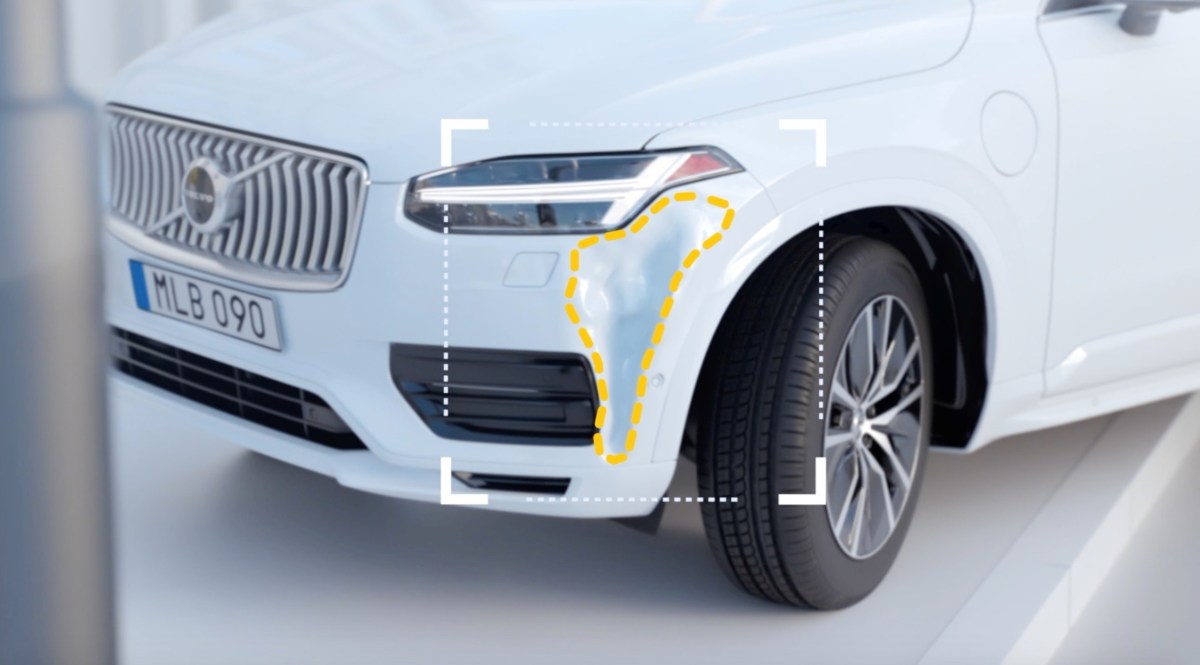
Volvo says the app will prompt the driver to capture photos and write down facts about the accident. It asks if other vehicles are involved, determines your exact location and allows you to pinpoint the areas of the car that were damaged. After doing that "paperwork," Volvo then allows you to submit it in a nicely organized report directly to your insurer. This allows you to get your insurance claim in the process right away, hopefully speeding up the entire process. The last guided step Volvo offers is a body shop/service finder. It lists approved Volvo shops and can arrange a tow to those shops, so you can theoretically get a quick start on repairs.

The benefits for someone unprepared are obvious, but this could be handy for experienced drivers, too, since an accident can be pretty disorienting. Volvo says the service will work on all model year 2015.5 or newer Volvos. If you have a Volvo older than that, you can trigger the service manually with a phone call to Volvo Car Customer Care. There is no cost to using the Accident Advisor either way.

Google Assistant driving mode announced at Google I/O

Check out Google's new driving mode.

Check out Google's new driving mode.

Google

View the 6 images of this gallery on the original article

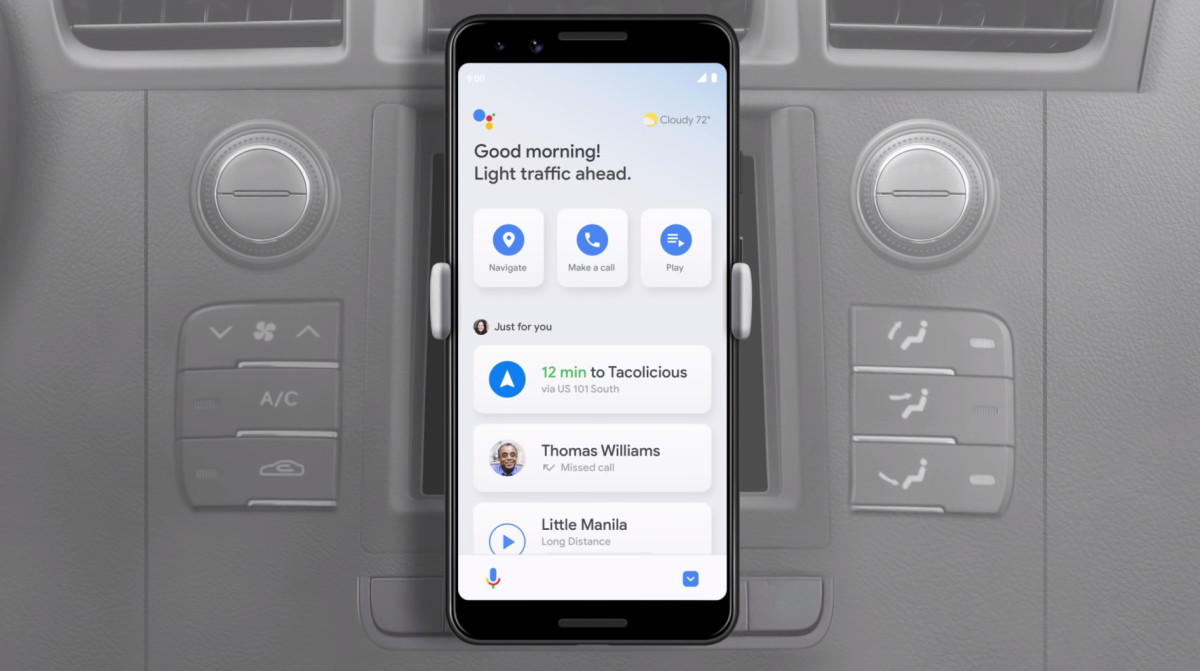
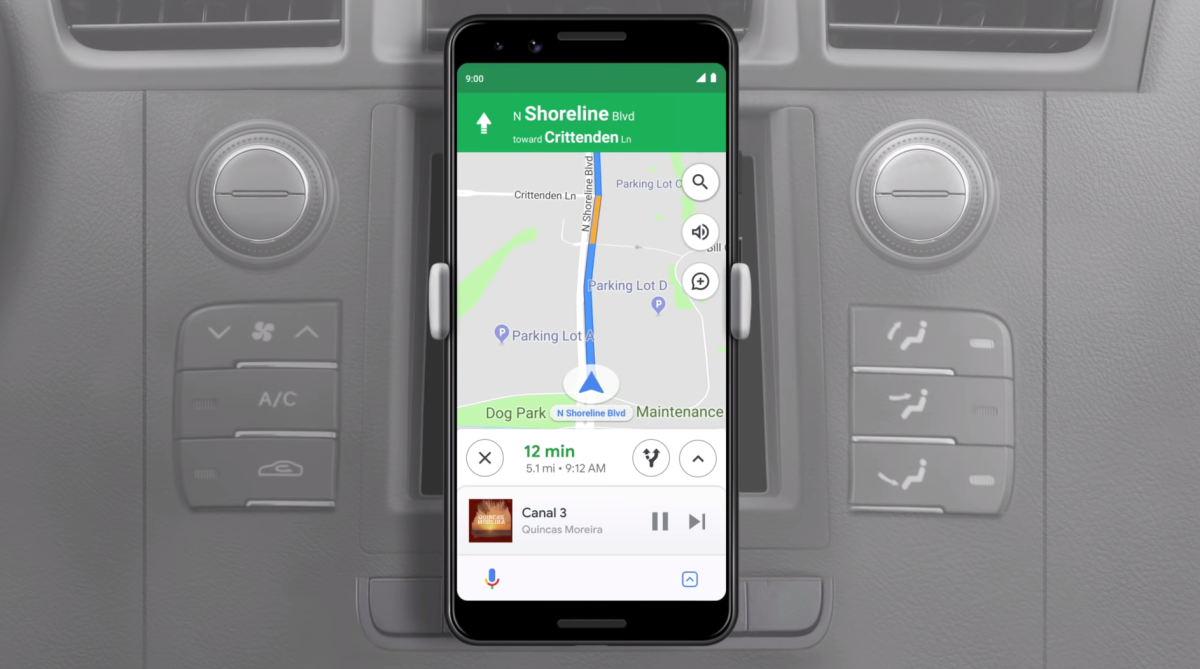
Google I/O 2019 is in full swing, and there's actually a bit of car news coming out of the big tech event. Allow us to introduce you to Google Assistant's driving mode. If you're familiar with Google's dedicated phone app, Android Auto, then this will look quite familiar to you. That app is different than but ultimately very similar to Android Auto on your car's infotainment display, but it's meant to be controlled via your phone for people who don't have cars with Android Auto capability.

The new Assistant driving mode takes the current Android Auto phone app and essentially renders it obsolete, while performing many of the same functions. Its main use is as a navigation device — you can make it use either Google Maps or Waze by default. Assistant driving mode can be set to launch on your Android phone automatically when it's connected to your car's Bluetooth or you say, "Hey Google, let's drive."

Upon launching, there's a dashboard that's personalized to you. The entire experience is heavily voice driven, so you can either tell it what you want next, or tap the suggested options on screen. Navigation suggestions are based on your calendar, normal routine or recently searched locations. Audio suggestions consist of recently played things or recommendations based on your preferences. And of course, you can call someone or text someone using voice control with the app, too. The actual feature set of Google Assistant driving mode is extremely similar to Android Auto, (which just had a big update announced yesterday) it just comes with a different user interface for the typically smaller screen that phones have versus infotainment systems.

Also announced at Google I/O is easier communication between Google Assistant and your car if so equipped. Instead of going through multiple commands to control your car via Assistant, now you just need one or two. Google says that Hyundais equipped with the Blue Link app, and Mercedes equipped with the Mercedes Me Connect feature will be able to take advantage of these simplified commands initially. For example, Google says one command of, "Hey Google, turn on the car A/C to 70 degrees" will now do the trick. Previously, Hyundai said it would involve a back and forth between you and your phone to finally get the command executed.

All of these new features are said to be arriving to your phone via an update this summer.

Android Auto gets a big update, and it’s going to be way better

Google unveils its Android Auto update.

Google unveils its Android Auto update.

Autoblog

View the 5 images of this gallery on the original article

Android Auto users are in for a treat as Google just unveiled a complete overhaul of the interface. We can safely say it looks a whole lot better than the current system, and we're excited to try it out.

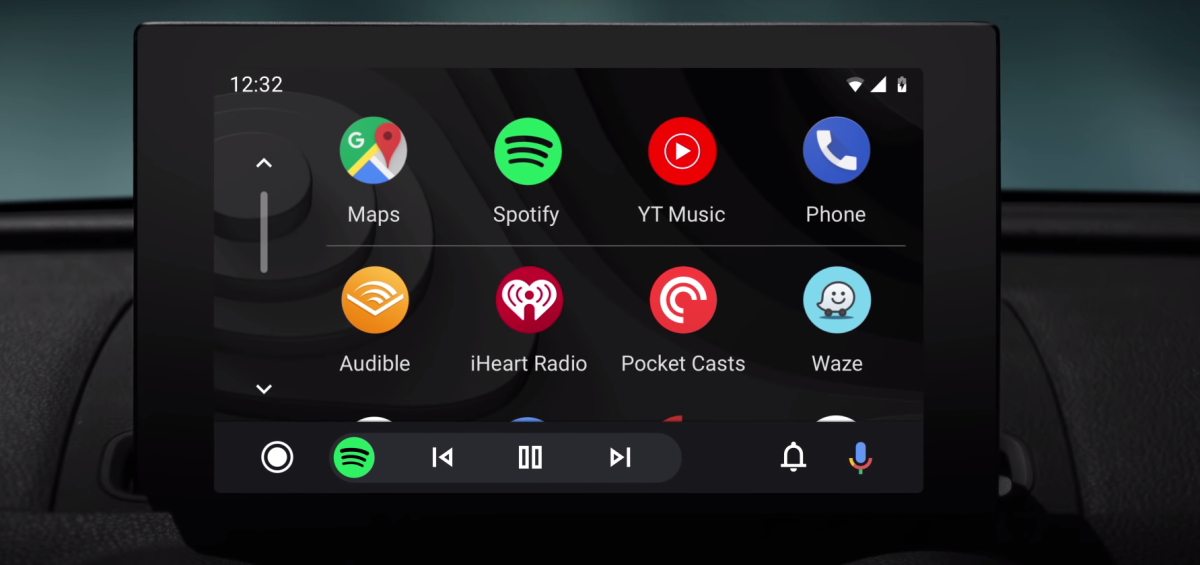
To begin, there's a new launcher. Instead of the five buttons along the bottom, now there's an array of apps to choose from in a vertically scrolling interface. This looks a whole lot more like the app drawer on your actual phone, and should make choosing your desired navigation or audio app much more intuitive. The launcher looks more like Apple CarPlay, but scrolls vertically instead of sliding from page to page horizontally.

Even more is the new "navigation bar" you see on the bottom. This bar stays on your screen and changes its function based on what app you're using at the time. For example, if you're using navigation with Google Maps and listening to a podcast at the same time, you can fast forward or rewind the podcast without having to leave the Google Maps app because the navigation bar has audio playback controls on it. Also, if you have the music app of your choice loaded up while navigation is running, your next move/direction stays plastered on the bottom navigation bar. What this does is reduce the amount of inputs and taps because you don't have to switch apps to reach your desired controls. This is a big step forward if we're thinking about driver distractions, because now you can pay less attention to navigating through the screens and more on the road.

Then there are several less significant but still noteworthy additions. Google is introducing a newly-designed notification center that allows you to see recent calls, listen to messages and view alerts. There's also a new dark theme that was sorely needed. Apple CarPlay has always looked more polished with its dark theme that blends in nicely with most car's interiors. Now Android has them matched, and it looks just as elegant. Finally, Android is adding in wide-screen optimization for some of the abnormally wide displays we're seeing in cars today. This will make sure the OS is using all the possible screen real estate provided. Google says the update will be rolling out to all Android Auto equipped cars this summer.